
How to Create a Social Media Content Calendar With AI
Learn how to organize ideas, plan your posting schedule, balance content types, and build a practical social media calendar with the help of AI.
AI can make the planning process faster by helping you generate ideas, organize themes, suggest content formats, and turn a broad topic into a more structured weekly or monthly plan.
The goal is not to let AI control your entire content strategy. It should help you build a useful starting point that you can adjust according to your audience, available time, and business goals.
What Is a Social Media Content Calendar?
A social media content calendar is a plan showing what you intend to publish and when you intend to publish it.
A simple calendar may contain only a date, platform, topic, and content type. A more detailed calendar can also include hooks, captions, keywords, calls to action, campaign goals, and production status.
Decide which topic, idea, lesson, promotion, or story you want to share.
Choose whether the content belongs on Instagram, TikTok, Facebook, YouTube, or more than one platform.
Give each piece of content a realistic publishing date or day.
Choose an appropriate format such as a Reel, carousel, short video, tutorial, image post, or text post.
Why Use AI for Content Calendar Planning?
One of the hardest parts of maintaining a social media account is continuously finding relevant ideas.
AI can speed up the early planning stage by generating possible topics from information you provide about your niche, audience, product, service, or objective.
It can also help create variations so that every post does not feel like the same message repeated in a different format.
A generated calendar should be reviewed before you use it. Remove irrelevant ideas, adjust the schedule, and add your own knowledge and priorities.
1. Decide How Often You Can Realistically Post
Before creating a calendar, decide how much content you can consistently produce.
Posting every day may sound productive, but a smaller schedule that you can maintain is usually more useful than an ambitious plan that becomes difficult after one week.
You might choose:
- Three posts per week
- Five posts per week
- One short-form video every weekday
- Two detailed videos plus supporting posts
- A different schedule for each platform
Your ideal frequency depends on your available time, production process, audience, and the type of content you create.
2. Choose Your Main Content Themes
Content themes are broad categories that help keep your posts focused.
For example, a creator who teaches social media marketing might use:
- Educational tips
- Common mistakes
- Platform updates
- Case studies
- Tools and resources
- Questions from followers
A business could use themes such as education, products, customer questions, behind-the-scenes content, testimonials, and promotions.
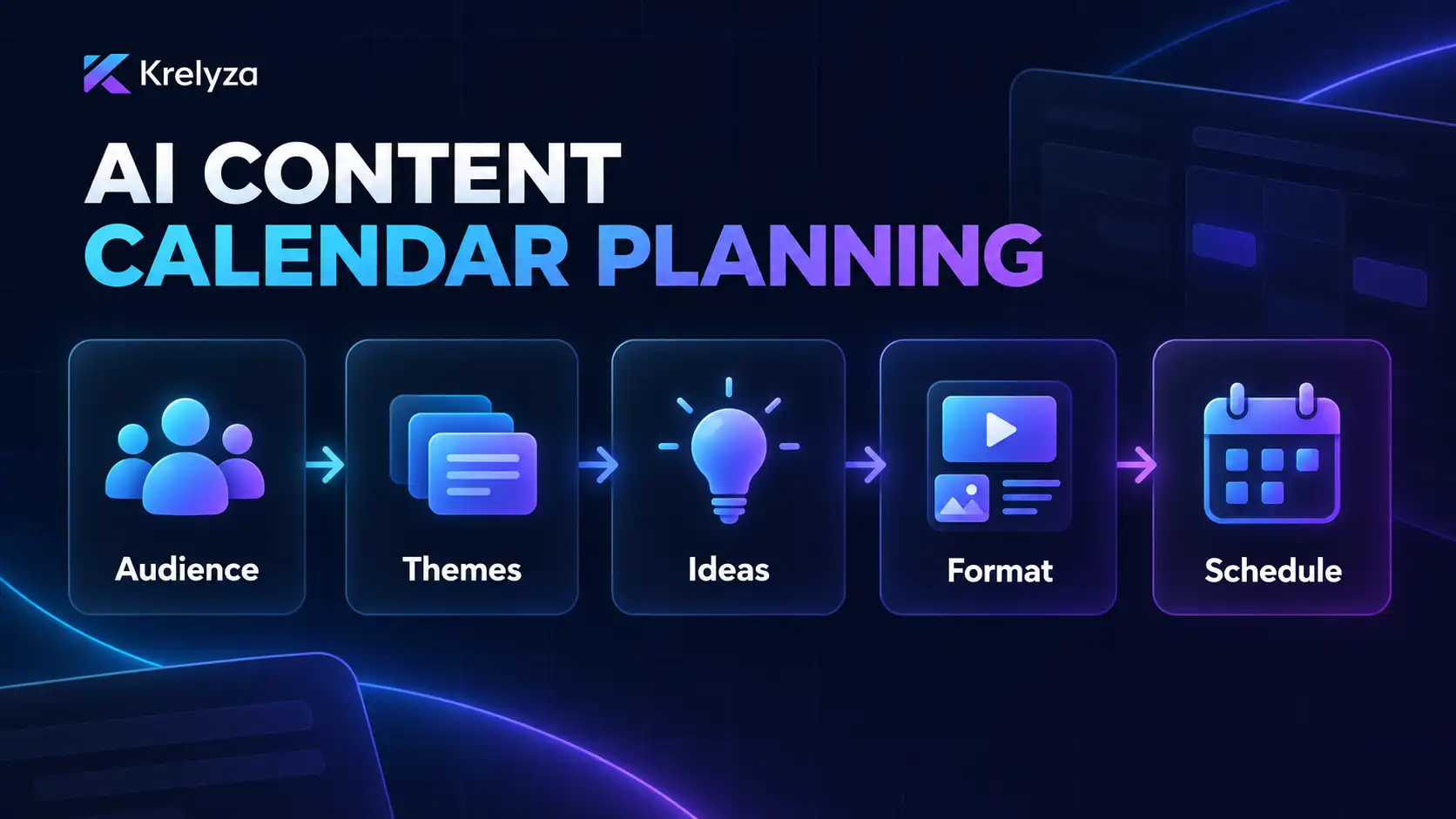
Audience → Content themes → Post ideas → Format → Schedule
3. Generate Several Ideas for Each Theme
Once your themes are clear, AI can help expand each theme into specific content ideas.
Instead of asking for generic social media ideas, give the tool more context.
For example:
Generate 10 short-form video ideas for beginner content creators who want to improve their Instagram Reels. Focus on practical mistakes, simple tips, and educational topics.
You can also use focused Krelyza idea tools such as the YouTube Video Ideas Generator , Instagram Reels Ideas Generator , TikTok Video Ideas Generator , Facebook Reels Ideas Generator .
4. Balance Different Types of Content
A calendar becomes more useful when it contains variety.
If every post is promotional, people may lose interest. If every post is educational, you may miss opportunities to tell your story, build community, or explain what you offer.
| Content Type | Purpose | Example |
|---|---|---|
| Educational | Teach something useful | 3 mistakes hurting your Reel retention |
| Engagement | Encourage participation | Ask followers which tool they use most |
| Authority | Demonstrate knowledge | Explain how you approach a common problem |
| Community | Build connection | Share a behind-the-scenes process |
| Promotional | Present an offer or product | Introduce a useful feature or service |
5. Match Each Idea With the Right Format
The same topic can often be presented in several ways.
A topic called “5 mistakes creators make with captions” could become:
- An Instagram carousel
- A short Instagram Reel
- A TikTok video
- A Facebook Reel
- A longer YouTube explanation
- A text-based Facebook post
Choose the format that best suits both the idea and the platform.
6. Put the Ideas Into a Weekly Schedule
After generating and selecting your strongest ideas, assign them to specific days.
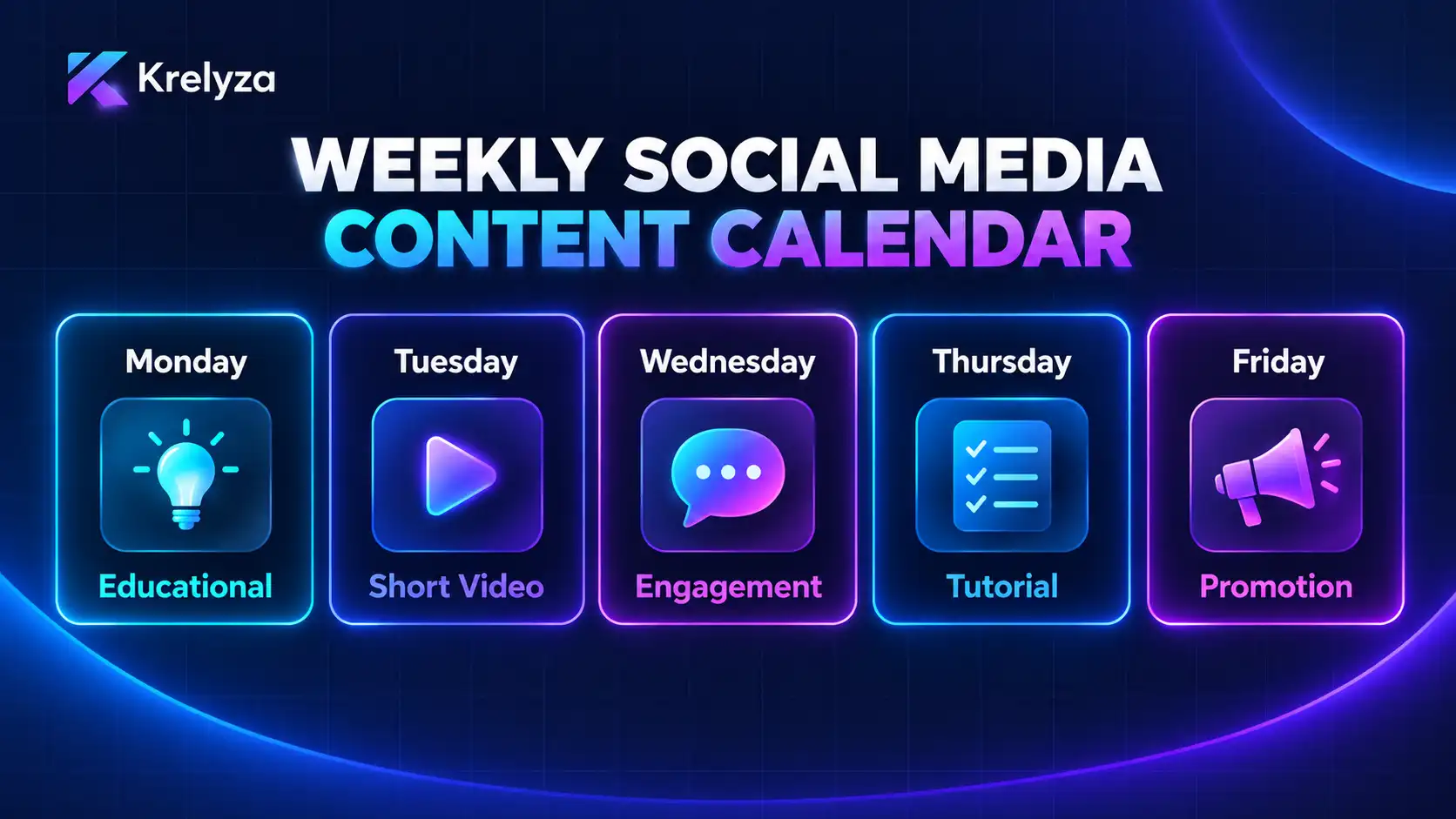
A basic five-day plan might look like this:
| Day | Content Type | Example Topic |
|---|---|---|
| Monday | Educational | A quick tip related to your niche |
| Tuesday | Short-form video | A common mistake and how to fix it |
| Wednesday | Engagement | A question for your audience |
| Thursday | Tutorial | A short step-by-step explanation |
| Friday | Promotional | A useful tool, product, service, or offer |
This is only an example. Your own calendar should reflect the type of content your audience expects and the amount of time you can realistically dedicate to content production.
7. Use an AI Content Calendar Generator
When you already know your niche, audience, and posting frequency, a dedicated calendar generator can help organize the information into a usable plan.
Krelyza provides dedicated tools including:
- Instagram Content Calendar Generator
- TikTok Content Calendar Generator
- Facebook Content Calendar Generator
Use the generated plan as a draft. Keep useful ideas, replace weak ones, and move posts to dates that fit your schedule.
8. Prepare Hooks, Captions, and Scripts in Advance
A calendar becomes much more useful when you prepare more than just the topic name.
For each planned post, you can gradually add:
- The opening hook
- A short script or outline
- The caption
- Relevant keywords
- Relevant hashtags
- The call to action
Doing this in advance reduces the amount of work required on publishing day.
9. Leave Space for Timely Content
A content calendar should provide structure without becoming so rigid that you cannot respond to something important.
Platform updates, industry news, audience questions, trends, product announcements, or unexpected events may create better opportunities than the post you originally scheduled.
Leave some flexibility in your calendar so you can adjust when necessary.
10. Review Your Results and Improve the Next Calendar
Your first content calendar does not need to be perfect.
After publishing for a few weeks, review what actually happened.
- Which topics received the most attention?
- Which formats generated the most engagement?
- Which posts were easiest to produce?
- Which ideas attracted comments or shares?
- Which posts did not perform as expected?
Use those observations when planning the next week or month. Over time, your calendar should become more closely aligned with what your audience responds to.
A Simple AI Content Calendar Workflow
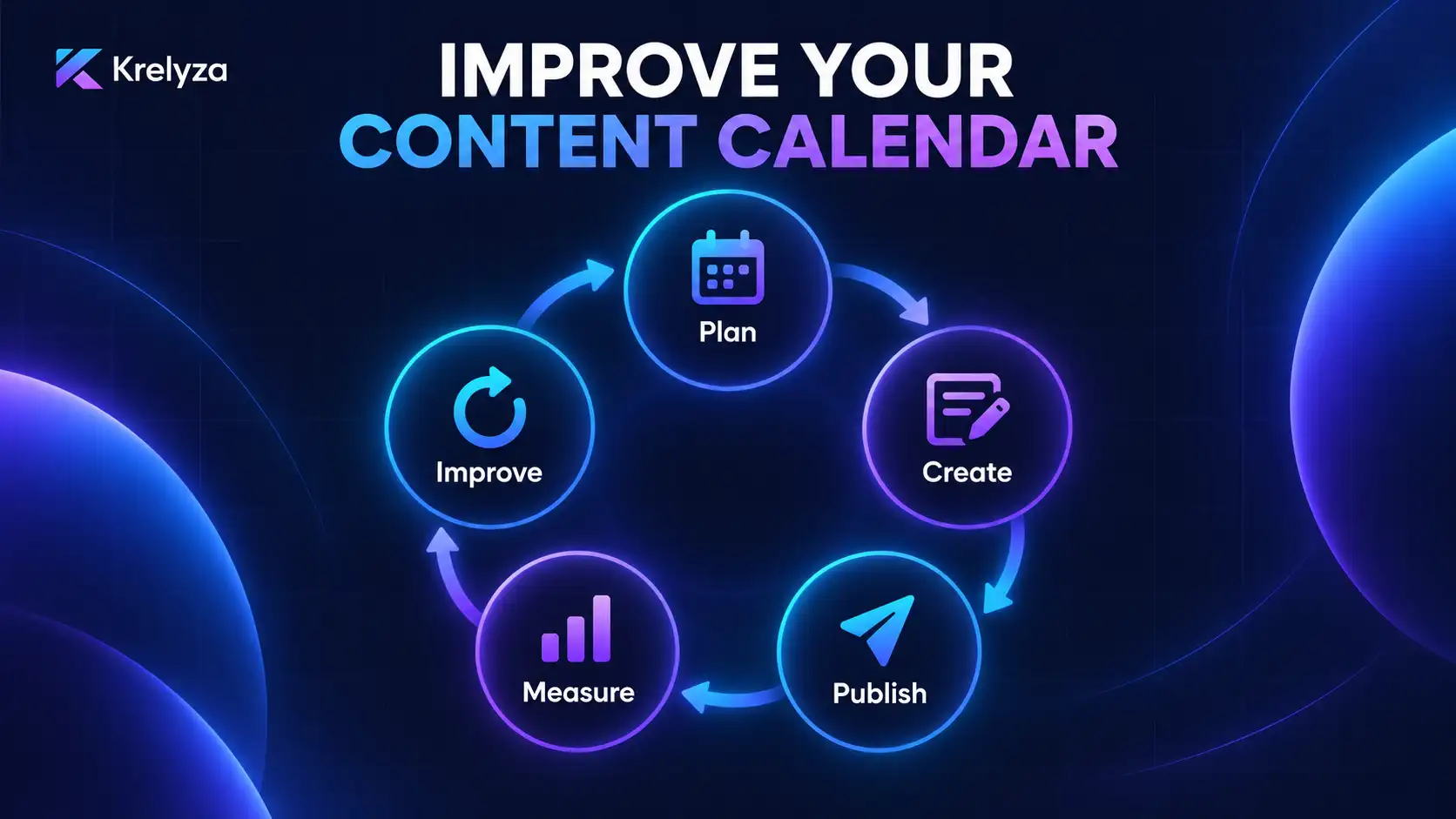
- Choose your posting frequency.
- Define your main content themes.
- Generate several ideas for each theme.
- Select the strongest ideas.
- Choose a format for each idea.
- Assign posts to specific days.
- Create hooks, scripts, captions, and CTAs.
- Review and personalize the plan.
- Publish according to your schedule.
- Use performance data to improve the next calendar.
A simple calendar you actually follow is more valuable than a detailed 30-day plan that requires more content than you can produce.
Final Thoughts
AI can reduce some of the repetitive work involved in planning social media content, but the strongest calendar still depends on your knowledge of your audience and your ability to choose ideas that are genuinely useful.
Start with a realistic schedule, use AI to generate and organize possible ideas, and then review everything before adding it to your final content plan.
The result should be a calendar that saves time while still leaving room for your own ideas, voice, and judgment.
Create your next social media post with Krelyza
Explore practical AI tools for content ideas, calendars, captions, hooks, scripts, keywords, hashtags, and creator workflows.